
USD 313.30
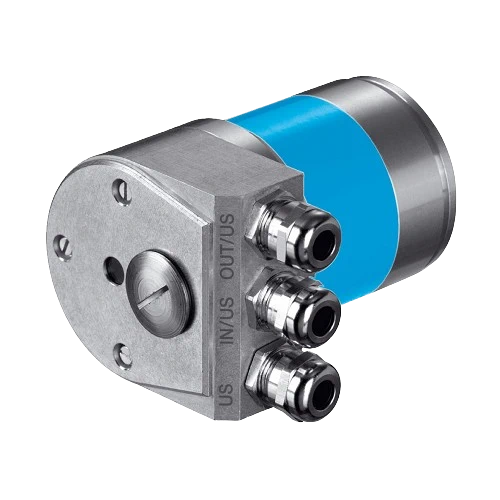
AD-ATM60-KR1DN is an IP67 ATM60 DeviceNet bus adapter with one PG entry, local node-ID and data-rate switches, bus termination and a preset button.
The SICK AD-ATM60-KR1DN is a KR1 bus-adapter accessory for ATM60 DeviceNet encoders, with one PG cable entry and IP67 protection. A removable rear screw cap provides access to node-ID, data-rate and termination switches plus a preset button, while a red/green LED indicates network communication status.
IP67 ATM60 DeviceNet KR1 bus adapter with one PG entry, local configuration switches, preset button and network-status LED.
Connect a compatible ATM60 DeviceNet encoder through one PG entry, with local access to address, data-rate, termination and preset settings.
| Parameter | Value |
|---|---|
| Accessory group | Bus adapters |
| Product group | Integration modules and adapters |
| IP rating | IP67 |
| EU declaration of conformity | Listed |
| UK declaration of conformity | Listed |
| ACMA declaration of conformity | Listed |
| Moroccan declaration of conformity | Listed |
| China RoHS | Listed |
| Signal type | DeviceNet |
| Compatibility | ATM60 DeviceNet encoders |
| Cable entry | KR1, one PG entry |
| Switch access | Removable screw cap on rear of bus adapter |
| Node-ID setting | S1; 0–63 by hardware DIP switch |
| Data-rate setting | S3; 125, 250 or 500 kbit/s by hardware DIP switch |
| Bus termination | S2 internal termination on/off; off when external network termination is used |
| Preset control | S4 push button; adjustment of encoder zero point |
| Network indication | Two-color red/green LED indicating network communication status |